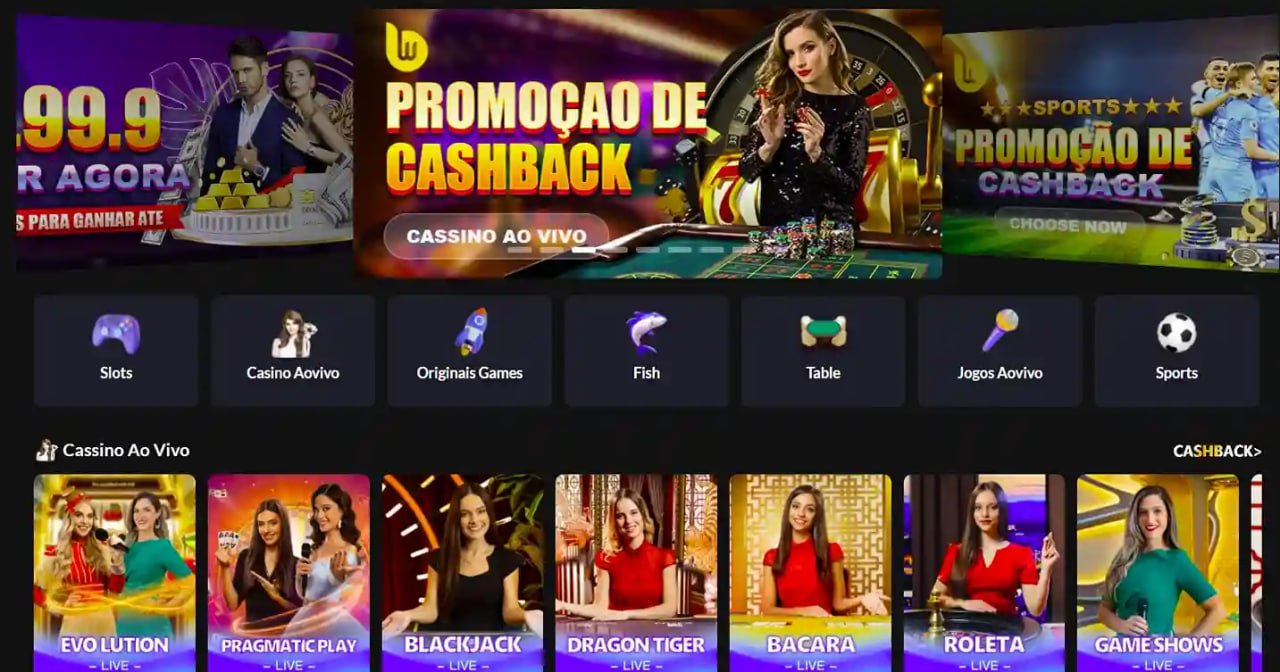
The official BB Affiliate mobile app gives you Live Casino, Sports Betting, fish games, and more — all in one place. A five-star gaming experience right in your pocket.
BB Affiliate is available on Android, iOS, and desktop — all your devices covered
Works on all Android phones in Bangladesh — Galaxy, Symphony, Walton, and any other device, without a hitch.
Optimized for iPhone and iPad. Built to meet Apple's security standards. Stunning visuals on Retina displays.
Play directly in your browser on a PC — no installation needed. Full gaming experience supported across Chrome, Firefox, and Edge.
A single tap on your screen and you're instantly thrown into a thrilling new world — that's what it feels like to play on the BB Affiliate app for the first time. Whether it's Live Casino, Sports Betting, or Fish Game, the interface is so intuitive that first-time users can jump right in without any confusion.
The BB Affiliate app is built with everyday Bangladeshi phones in mind. At just 10 MB, it runs smoothly on as little as 2 GB RAM. Its data-optimized technology keeps the app responsive even on slow networks.
Most importantly — depositing and withdrawing on the BB Affiliate app is completely hassle-free. Whether you use bKash, Nagad, or Rocket, simply withdraw through the same method you deposited with, in just a few taps.
BB Affiliate App — A Five-Star Mobile Experience
Installing the BB Affiliate APK on your Android phone is straightforward. Just follow the steps below.
Go to Settings → Security or Privacy on your phone and enable "Unknown Sources" or "Install Unknown Apps".
Tap the "Download Android APK" button on the BB Affiliate official page. The file will be saved to your Downloads folder.
Go to your Downloads folder and tap the BBAffiliate.apk file. An installation prompt will appear.
Tap "Install" and wait 30–60 seconds. The installation will complete automatically.
Open the app, log in to your BB Affiliate account, and start playing!
Installation on iOS is even simpler. Download directly from the App Store.
Open the App Store app on your iPhone or iPad.
Type "BB Affiliate" in the search bar and select the official app.
Tap the "Get" button. Confirm with Face ID or Touch ID.
Once installed, open the app, log in to BB Affiliate, and enjoy.
Scan the QR code with your camera to go straight to the download page.
Everything the website offers — now even easier on mobile
Play with a real dealer via HD live streaming on mobile. A completely lag-free experience.
Bet on real-time odds while the match is live. The best markets for cricket and football.
Fish Game on mobile touch controls is a whole different kind of fun — hours of entertainment at your fingertips.
Deposit and withdraw via bKash, Nagad, and Rocket in just a few taps.
Get automatic notifications for new bonuses, promo offers, and match kick-offs.
Log in quickly and securely using your fingerprint or Face ID — no more typing passwords.
Enable Dark Mode for a comfortable viewing experience at night. The BB Affiliate app features automatic Dark Mode.
Some games can be practised offline even without a connection. Everything syncs automatically once you're back online.
BB Affiliate — A One-of-a-Kind Mobile App Experience
Both the BB Affiliate app and browser offer great experiences. Here is a quick side-by-side look at what each one brings to the table.
| Features | Mobile App | Browser (Mobile) | Browser (PC) |
|---|---|---|---|
| Loading Speed | Fastest | Average | Fast |
| Push Notifications | |||
| Biometric Login | |||
| Offline Mode | |||
| Dark Mode | |||
| Installation Required | Yes | No | No |
| Screen Size | Best | Good | Maximum |
For regular mobile players, downloading the BB Affiliate app is the best choice. If you prefer Live Casino or betting on a larger screen, the browser version is unbeatable.
BB Affiliate — A New Era of Mobile Gaming
Always download the official BB Affiliate app from our official page only. Downloading from third-party sites or app stores may pose security risks. Our app is free from malware and viruses — it passes regular security checks.
BB Affiliate releases new app updates every month, adding new games, improving performance, and fixing bugs. Some features may not work properly if you are running an older version. When you see an "Update" notification in the app, update right away.
Enabling "Data Saver Mode" in the BB Affiliate app significantly reduces mobile data usage. Video quality may be slightly lower, but your gaming experience won't be affected. Turn this mode off when playing on Wi-Fi.
Keep two-factor authentication (2FA) enabled on your BB Affiliate app to prevent unauthorized access to your account. Use a strong password and never share it with anyone. BB Affiliate will never ask for your password over the phone or via message.
Making payments via bKash, Nagad, or Rocket on the BB Affiliate app takes just 3 steps. Enter your mobile number, enter the amount, and confirm — your deposit is done. Withdrawals are just as simple, with funds arriving in an average of 5–15 minutes.
Only download the official BB Affiliate app from our official page or trusted app stores. Keep your login credentials safe after installation. For any issues, reach out to our 24/7 support team.
Real experiences from users across Bangladesh
"Ever since I downloaded the BB Affiliate app, I never bother opening a browser anymore. Everything in the app is so much faster and smoother. Payments via bKash now go through in just 30 seconds."
"The BB Affiliate app runs perfectly smoothly on my Walton phone. I was worried it might lag, but not at all. Live Casino looks amazing on mobile."
"I use the BB Affiliate app for live betting during cricket matches. The moment a notification comes in, I can place my bet right away. I would have missed so many matches without the app."
Answers to the most frequently asked questions about downloading and installing the BB Affiliate app